Does anyone know if it would be possible to make a profile in Tasker where the phone beeps if HR dips under 38 in SAA?
I cant seem to get the event working. Dontbknow what to put there plus what variable to put in the If action… % ? < 38
Does anyone know if it would be possible to make a profile in Tasker where the phone beeps if HR dips under 38 in SAA?
I cant seem to get the event working. Dontbknow what to put there plus what variable to put in the If action… % ? < 38
Hello @Scarlet I think it is possible to hook the profile with the Wearable integration API • Sleep as Android Docs com.urbandroid.sleep.EXTRA_DATA_HR intent.. We could also build something directly into the app… we already have low SPO2 alarm.. so this could be similar.. please let me know if you would like to test this.. at the moment we aggregate the data into 10 minute chunks and it depends on teh wearable whether we do this on the device or phone.. so the question is how timely we would need this..
Hello @Scarlet I have prepared a version for you with low HR detection if you would be willing to help me with testing.
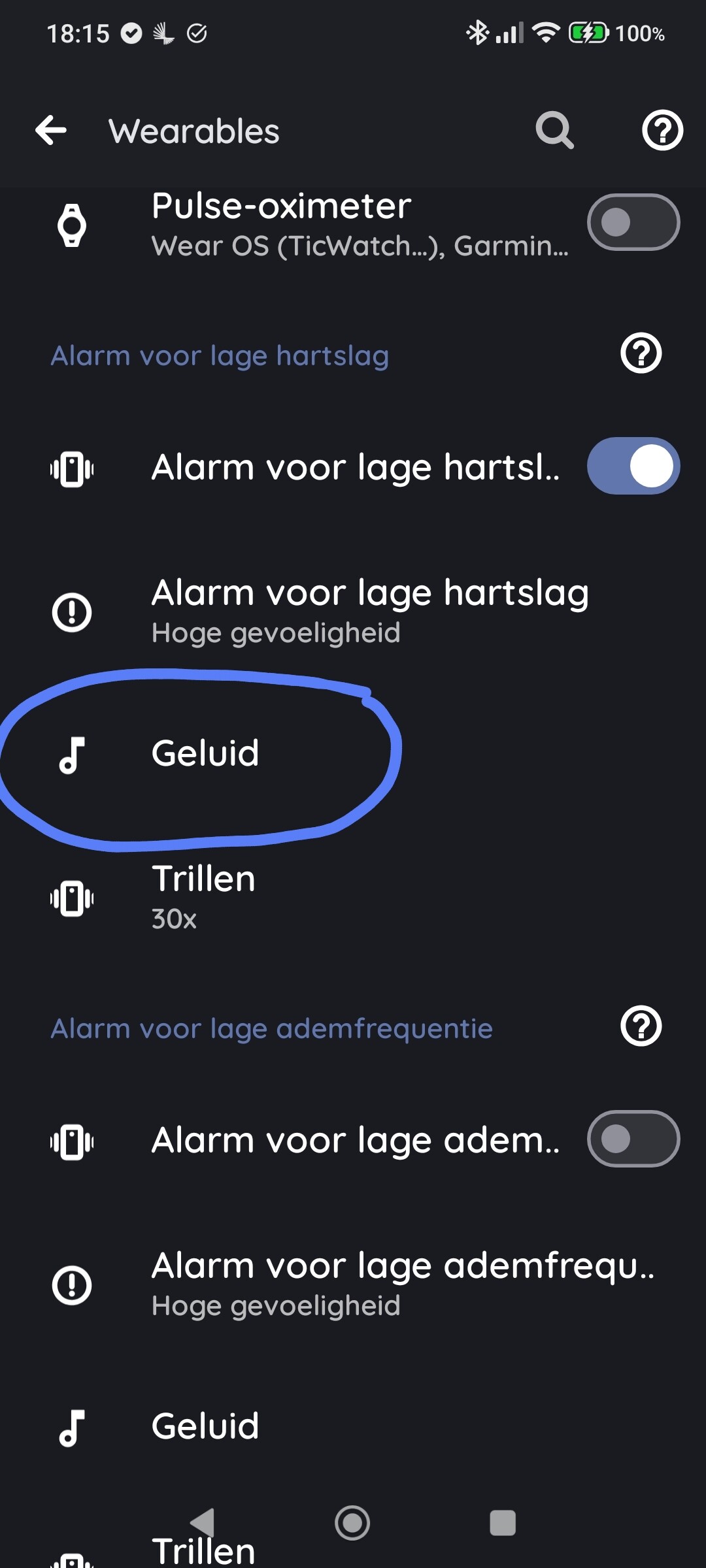
You can enable Low HR alarm in Settings > Sleep tracking > Wearable > Low HR alarm > and set sensitivity..
At the moment sensitivity is set as follow:
    switch (sensitivity) {
        case HIGH:     return 45f;
        case MEDIUM:   return 35f;
        case LOW:      return 30f;
        case VERY_LOW: return 25f;
        default:       return 35f;
    }
The APK with this functionality can be obtained here:
https://sleep.urbandroid.org/wp-content/uploads/release/Sleep-20260901-prod-release.apk
Please let me know how tio goes ideally send me a bug report using menu > Support > Report a bug.. Many thanks!
Dear Petr,
Awesome!! Thank you so much.
I’ll be much more at ease while sleeping, thanks to you.
I’ve tested it and the alarm set off at 45 with the highest sensitivity setting. Works correct.
Tonight I’ll set it to medium and see if my heart rate will dip under 35. This medium setting though will be harder to test because my HR doesn’t go lower than 38 (for now).
It would be easier to test if you could set medium to 40.
Oh, btw, the sound button for low HR doesn’t work. I can choose the sound of the SPO² alarm and it will show the chosen sound underneath the button but not with the alarm sound for low HR.
Though the phone buzzed correctly at 45 and on the audio recording, I heard a beeping sound (the sound I chose the SPO² alarm?)
I’ll send you a bug report if that helps, that contains ll you need? If not, let me know.
Thanks again for the HR alarm and help with Tasker, I’m going to try again if I can make it work.
I’ve used that intent but couldn’t make it work. But if that is the right intent, I must’ve made a mistake in Tasker (its been a while  ).
).
Let me try again. Not really necessary anymore but still fun to get it working.
Great that the alarm is in SAA now, a lot of devices can’t do under 40. You’ve build such a great app.
Another question, if I would use a sleeping mask (happy electronics), could I still use the same device setup ad I use now? Or does it work instead of a wearable\stresslocator\Polar h10?
I mean, can I just keep every setting as it is right now and just put the sleeping mask on in the app and it works?
Another thing,
During low HR testing the app alarm went off at 45. I used gen6 as wearable and the stresslocator as HR\SPO².
Along side this I used Elite HRV and I made a recording with the Polar h10 and it said that lowest heart rate was 40.
I’ve had that happening before, for instance that the Stresslocator beeped its own alarm because HR dipped under 40 but the HR in the app it says it never went under 45.
If it happens again, I’ll send you a debug. just wanted to let you know