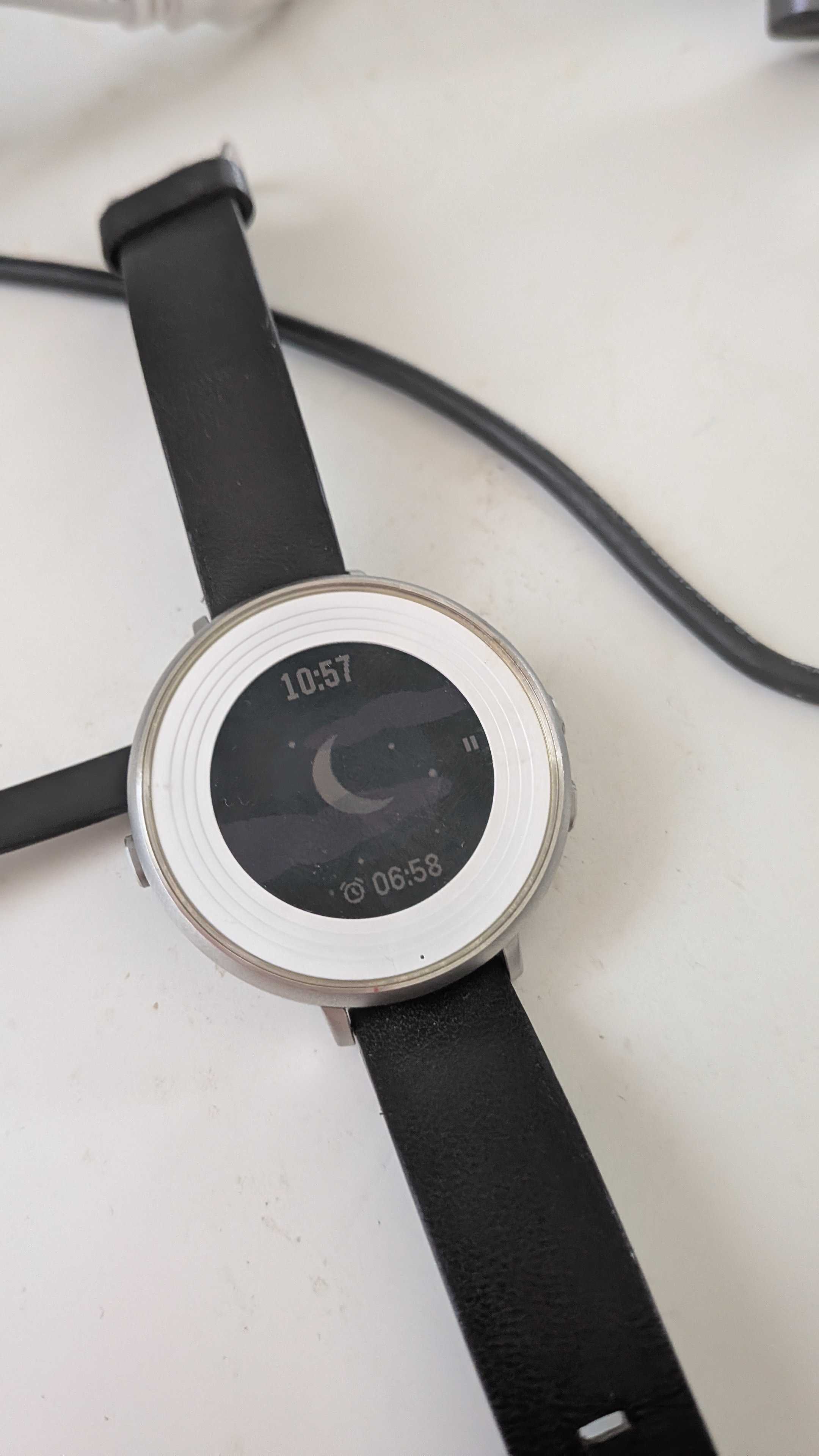
There’s a new lineup of pebbles coming out from the original developer/manufacturer.
I can tell you have a number of different Pebble integrations already, but I can’t make them work with the new Pebble app as is. Or maybe I’m missing something obvious?
Hi @matrixes, Pebble integration is in progress at the moment. We are in contact with the Pebble team directly.
3 Likes
Latest and exciting news!
The Pebble integration is finally working.
In the Sleep app, set repebble.com option in Settings > Sleep tracking > Wearable > Wearable.
And you need to update the Pebble core app to the latest version and also make sure you are using the latest firmware on the watch.
Let us know if your Pebble connects and if the tracking works well.
VERY exciting news!
I’m currently trying this out but something isn’t clicking.
This is what I have:
- Sleep as Android
- Pebble App
- Pebble Time (Kickstarter)
- Sleep as Android Pebble app
I have signed in into the Pebble app on both Pebble and Rebble.
The Sleep as Android Pebble app can open the Sleep as Android watch app.
I’ve, as far as I can tell, allowed all the permissions Sleep as Android has requested.
I have chosen “Pebble - repebble.com” in the Sleep As Android app.
When I test the sensors in Sleep As Android, I am stuck at “Waiting for connectivity” and after about two seconds a small dialogue appears stating “Install Pebble add-ons - repebble.com”.
I have tried running the Sleep as Android watch app both before and after starting tracking/testing of sensors, and I still can’t get it to connect properly.
Is there anything that is obviously missing in this setup?
Thanks for all your work! Can’t wait to get this running again! 
Hi, if you start the tracking on the watch, does the tracking screen on the phone automatically launch?
Starting from phone is still not available even on the new Pebble, so it does not support sensor test at the moment.
Unfortunately, no.
When I start the watch app, the starfield crescent backdrop appears and the pause icon on the right, but nothing happens on the phone.
I recognise a little bit the procedure you suggest from when I was using Gadgetbridge. That was similar in the sense that the sensor tests did not work, but I could still capture values during real sleep track sessions.
Does it matter if I’m using Graphene OS (Android 16), or is that irrelevant?
I’m up for any type of resetting Sleep as Android / Pebble apps and the watch, etc, if that would help nailing it down. I draw the line at “Reinstall/Reset your phone”, though.
What version of Pebble Core app do you have?
I may misunderstand what the Pebble Core app is, but if it is the Android app named “Pebble”, with the package name “coredevices.coreapp”, the version I had when I tested yesterday was 1.0.11.14 and I just updated to 1.0.11.15.
Unfortunately, something is still not adding up as when I start the Sleep as Android app on the watch, Sleep as Android on the phone does not react.
And it does not matter if I have started a tracking session or not in the Sleep as Android on the phone.
Could you please send the logs (Left ≡ menu → (?) Support → Report a bug) in the morning, or at least 15-20 minutes after starting the tracking from the watch?
Hi, one thought - can you try without the Pebble Time? It is possible that only one app can communicate at a time.
I sent in a bug report just now.
I’m not entirely sure what you mean. I have only one watch, The Pebble Time (Kickstarter edition), and that’s running the Sleep as Android watch app. If I don’t use the Pebble Time, the only tracking left is the Sleep as Android phone app, which is using the (working) accelerometer.
I feel like I’m missing something. 
Hello, to make starting from watch working you need a special app “Sleep as Android watch starter“ from here https://play.google.com/store/apps/details?id=com.urbandroid.watchsleepstarter
Many thanks for reporting I found an issue which prevented the Pebble connection to work without the sleep watch starter app.. teh fix is now available here: https://sleep.urbandroid.org/wp-content/uploads/release/sleep-20260225-prod-release.apk and will soon go to production..
I have now brough even my old Pebble Time Round to life and can confirm that sleep tracking is working even with old Pebbles with the new Pebble Core app..
I made a quick test and it seems to work now!
I’ll get back when I’ve tried tracking a complete session.
Great work!
And that’s a nice piece of history you got, as well.
Many thanks for testing.. I did already track several whole nights with success with Pebble 2 Duo, I’m waiting for the new Pebble Time 2 which should arrive soon and I will test HR tracking with it as soon as it arrives..
Otherwise I’m a big fan of Pebble and I;m very happy they resurected it. I have many historic peaces at home the orignal Pebble Time and the very first Pebble as well :)..
1 Like
BTW @matrixes now I’m preparing an update of Sleep as Android which will use the new modern PebbleKit2 library for communicating with companion apps. https://github.com/pebble-dev/PebbleKitAndroid2
If you would like to help me test this that woudl be really useful…
In order to test it you would need to update Sleep as Android which this version:
https://sleep.urbandroid.org/wp-content/uploads/release/sleep-20260225-beta-release.apk
and in additon install the new Pebble app on the watch is is not yet on the store..
https://sleep.urbandroid.org/wp-content/uploads/release/SleepAsPebble-PebbleKit2.pbw
Many thanks for your help!
I tested the new setup and it looks like it works just fine!
I assume this removes the benefit/requirement of the “Sleep tracking from watch” app?
Geat news, many thanks for testing, yes with PebbleKit 2 you do not need the watch starter app.. big thanks..