Feature
I wish you’d expose the next alarm and the bedtime info for integration via your “API” so I could build custom widgets or services for myself to make it show up in my calendar or in custom widgets.
Background, reasoning
About integration
As far as I know the next alarm info is available system wide but if you set a timer, or some app uses the alarm feature not in a wake-up alarm sense, it also is included in what the system returns and obfuscates the one I actually care about - the one I set in Sleep as Android.
The sectograph app for example used to show alarms but removed it for this exact reason if I understand correctly.
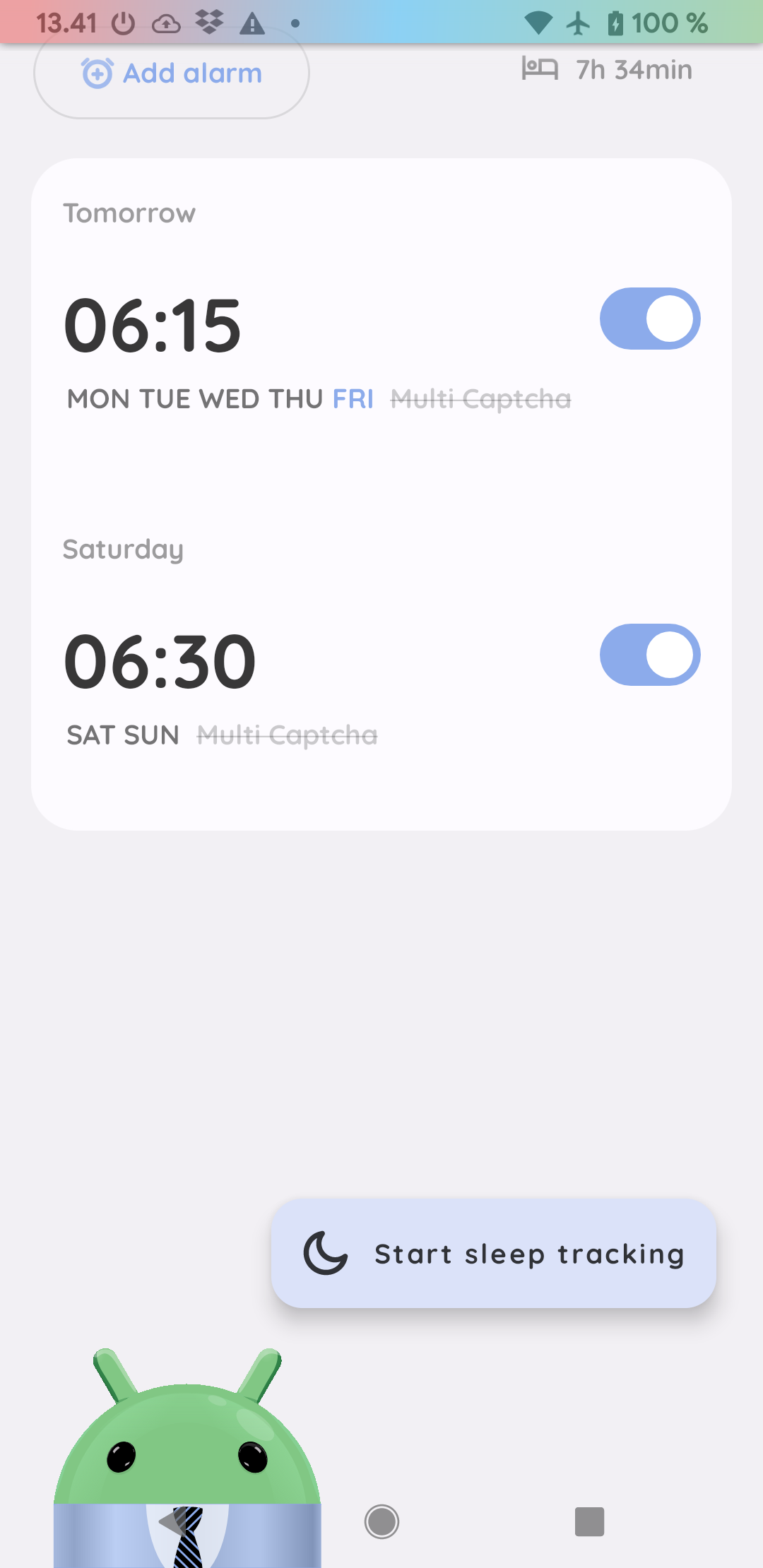
My workaround currently is a macro in MacroDroid that opens sleep as Android at noon and reads the screen and adds the alarm into my calendar based on the info. If my phone is locked it leaves me a notification with a button to retry.
This works well but it’s pretty hacky and not too elegant and easy to break.
About customisability
I really enjoy using the bedtime widget - it’s great that it shows the next alarm by default and then the bedtime info when I should be preparing to sleep.
However in terms of appearance I wish it’d blend more into the Material You theme.
I love the little android robot too, but sometimes I’d also like to hide them as well. (There’s a setting under “Personalise” called “Hide droid avatar” which in my experience doesn’t hide anything from anywhere but maybe I’m looking at the wrong place. My point is, definitely not hiding the one in the Bedtime widget.)
I’d love to be able to create a widget using KWGT or similar, or even MacroDroid to show this info using my designs.
Sorry if this is too many topics for a single thread, I do think they are connected in the sense that exposing this information for third parties for let me solve multiple issues freely on my own terms.
I do appreciate if you also consider implementing the end-goal features as well and if you can enlighten me about the functionality of the “Hide droid avatar” switch.
Thank you!