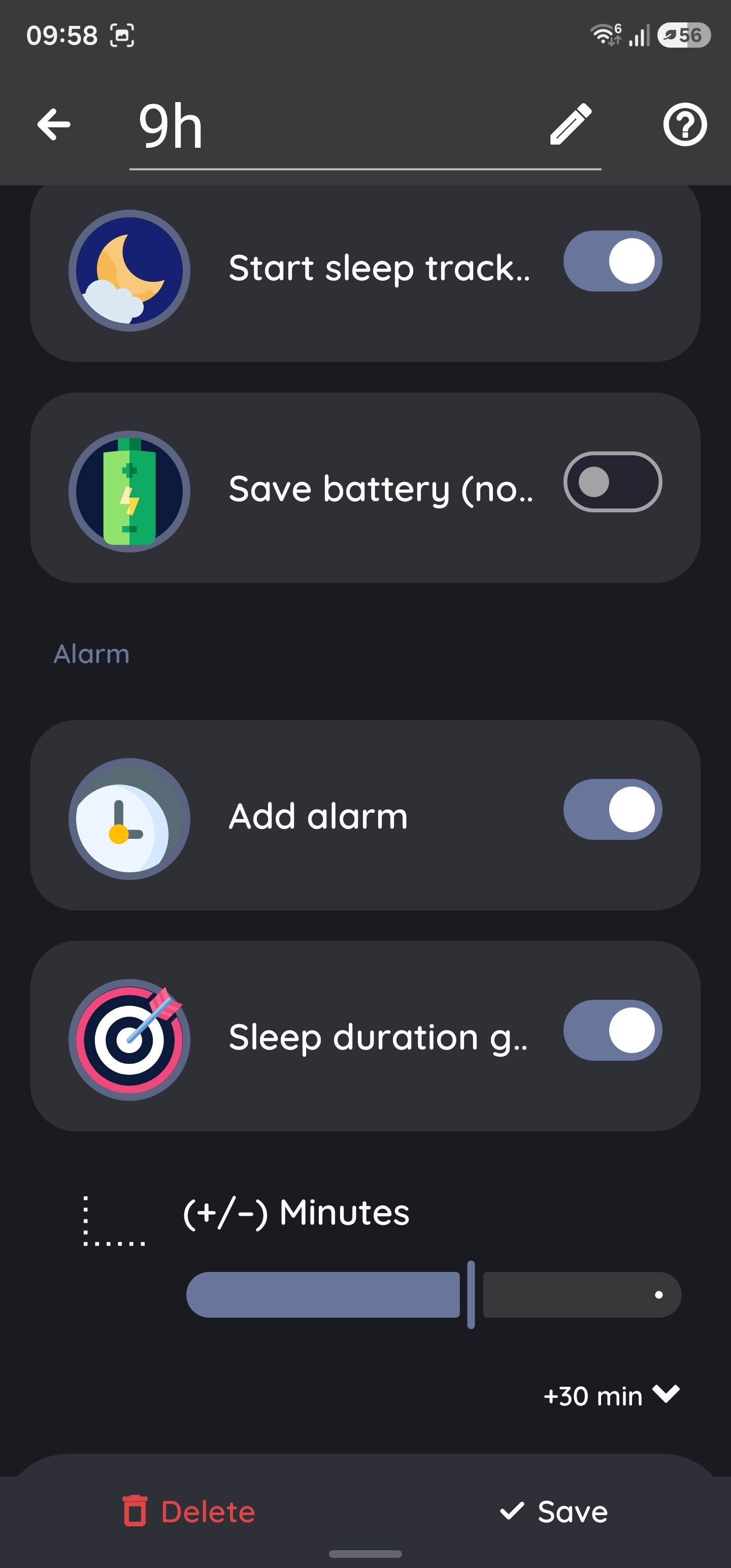
I have my sleep duration goal set to 8h, and my alarm’s Smart Period (smart wake-up window) set to 1:30. My understanding was that the app would track until I reached 8 hours of actual sleep, then look for the best moment to wake me within the following 1:30 window (so anywhere from 8h to 9h30m of sleep).
Instead, the smart wake-up window is being applied before the alarm’s clock time, not after a sleep-duration floor. So with my alarm set for a fixed time, it’s choosing the lightest-sleep moment somewhere in the 1:30 leading up to that alarm time, meaning it can wake me significantly earlier than my 8h goal. Example from last night: I tracked from 1:24 to 9:13 (~7h49m in bed), but the app only counted 6:32 of actual sleep and flagged a sleep deficit, even though my goal and smart period were both set.
The Add alarm option will automatically add the alarm to the shortcut. If set to follow the goal, it will add the alarm for +X hours (= set target). If you wish to add any “buffer” time, use the (± Minutes) option to add extra time on top of the target.
The shortcut alarm won’t continuously push back or update its timing as your tracking progresses. Instead, it locks in the alarm time the exact moment you tap the shortcut. Think of this as the absolute latest the alarm will go off.
Hi, thank you for your answer! I think I’ve got it now.
I’m just curious about one thing: if I set the “Sleep duration goal” to 8h and add a buffer for my sleep latency, will the “Smart wake-up” (set to 1:30h) wake me up before that goal is reached, or after?
Also, I think it would be really cool if there were a feature where the alarm automatically adjusts based on the time the user actually fell asleep.
We don’t currently support alarms with dynamic timings. The main reason is safety: if the app’s awake detection miscalculates, it could theoretically keep postponing your alarm indefinitely, causing you to oversleep.
However, you can achieve a similar result using the “not before ideal” feature. This setting ensures the alarm waits to trigger within your smart period until your sleep goal is reached. Your set alarm time still acts as a strict “utmost deadline”, the absolute latest the alarm will go off.
If hitting your sleep goal is your main priority, we recommend setting the longest possible smart period (and adding that same period to your shortcut configuration). This gives the app the widest window to let you sleep until your goal is met without risking a late wake-up.