Greetings,
I just switched from a Samsung Galaxy A53 to a Moto G Stylus 2025. I backed up my 8 years of cumulative sleep data via the sleep cloud and synced it to my new phone.
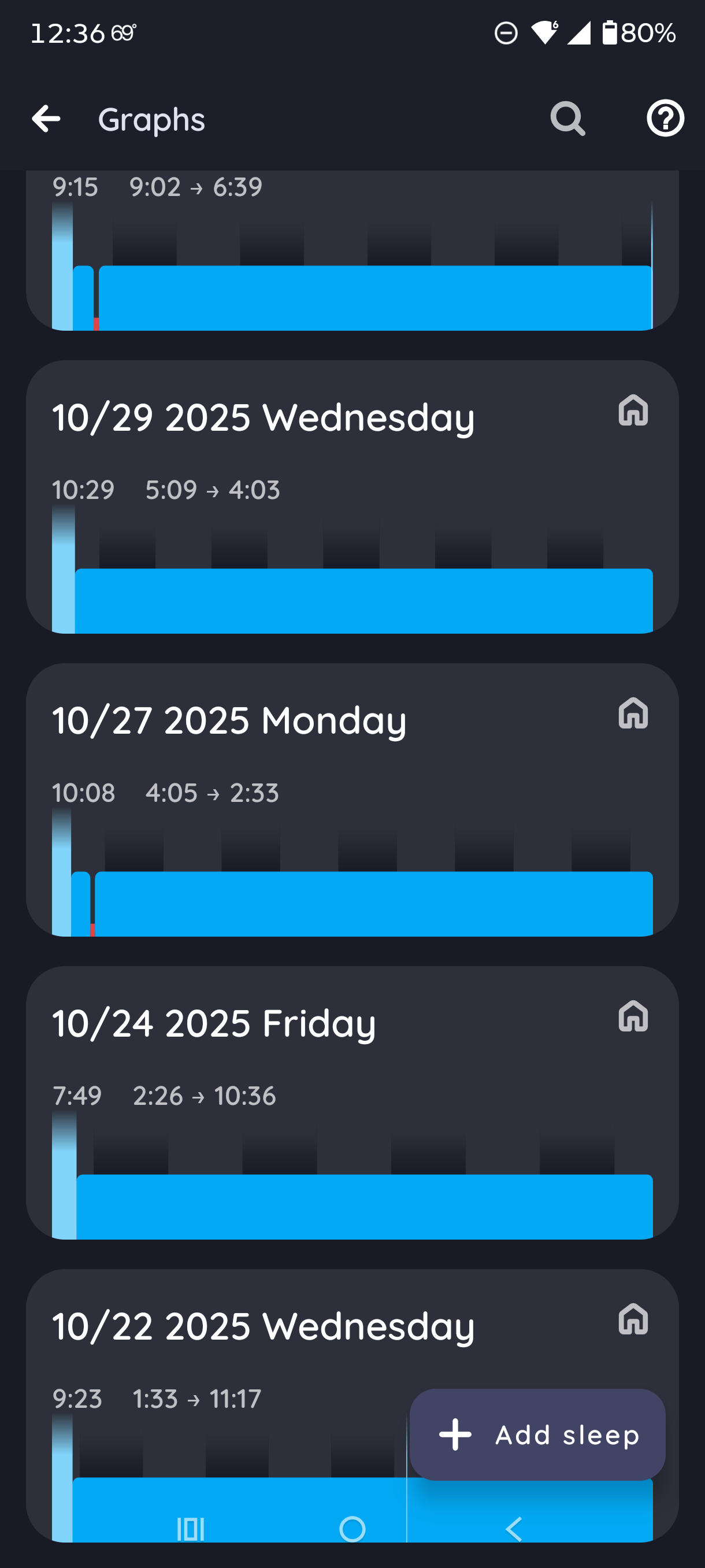
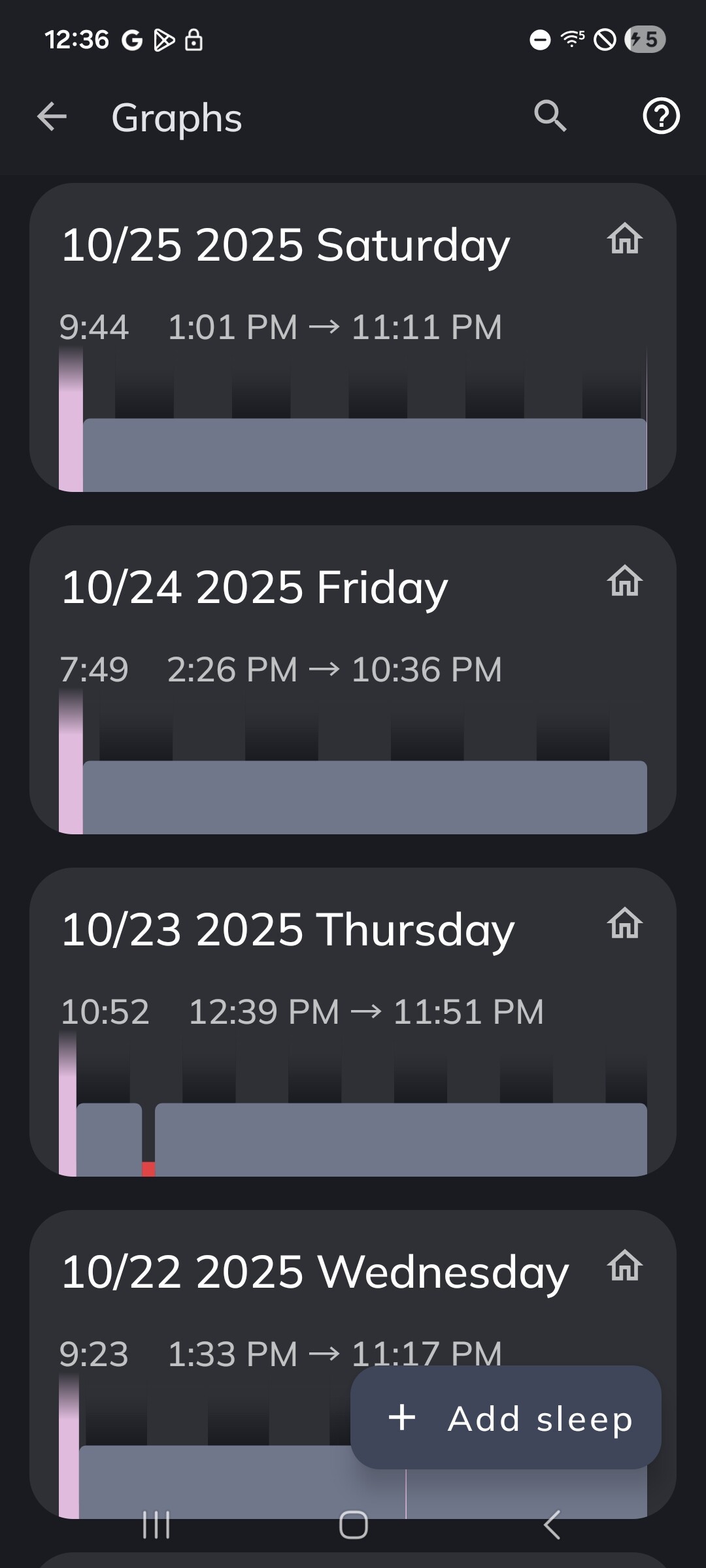
Upon backing up and downloading from the cloud, my sleep chart is missing approx 2-4 days of sleep per week at random for the time period when I had the Samsung A53 (several years). For the time period when I had older Samsung A models, the record is complete. I believe it’s an issue with backing up to the cloud?
The sleep data in my Samsung A53 is still complete.
I’m not sure if this is a bug or if I did something wrong, but I would love some help for a possible fix. Thank you!
Hi @LibertyNon24,
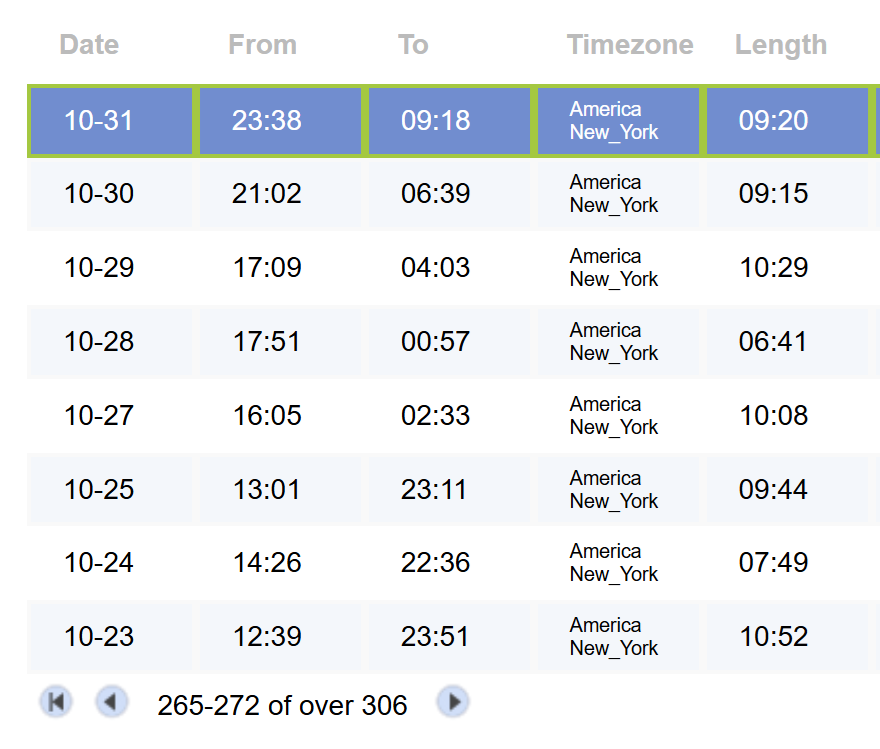
Do you see the data that are missing in Sleep in the SleepCloud account at https://sleep-cloud.appspot.com/SleepCloud.html?
If you check the old phone - do these graphs have the cloud tag?
Hi, thanks for responding.
Can you please help me understand what the cloud tag is and where to find it?
When I tap on individual sleep sessions, I just see #home on all of them. Both the ones that backed up and those that didn’t. I don’t see any cloud notation anywhere on ones that backed up and ones that didn’t.
I am including screenshots that show the original/complete sleep log (gray and pink), the new incorrectly synced one (blue), and the direct SleepCloud list.
Hi @LibertyNon24, #cloud tag is used automatically for graphs that were not measured by the Sleep as Android app, but were synced from some cloud service (Google Fit, Health Connect, or Samsung Health).
Which graph measured a different app should have the cloud notation, and which app measured them?
What graphs are the original source (which app measured them), and which graphs were synced by the backup service. Which backup method did you use?
I do not use a wrist device or other app, just my phone with Sleep as Android. I only ever log by tapping Start Sleep Tracking and ending it when I wake. I use the SleepCloud backup service. I don’t use any other tracking app, just Sleep as Android.
Hi, if all graphs in your app were measured by Sleep as Android, the cloud icon is not used (because all graphs were measured, none of them were synced from data from another app).
The cloud icon only belongs to graphs measured by other apps.
Thanks, that explains why I don’t see that. Still unclear why the SleepCloud sync left out 380 random days from a total of 2,628, so about 14% of days did not sync over from one phone to the next using SleepCloud.
After doing a manual sync in the SleepCloud add-on, open the (⁝) menu in the top right corner, and use the Report a bug option to send the logs to support (the email address is filled in). Thank you.